iReal Pro Tutorial
Audience: Late Beginner/Intermediate Musicians.
Delivery: Online Video.
Skills/Tools Used: Scripting/Story Boarding, Lesson Planning, Screen Capture, FinalCut ProX/Video Editing, Logic ProX/Audio Production
Assessment
iReal Pro is a very useful app for musicians with limited resources on how to use it. The developers have only a few tutorials that do not cover the app's full features. Existing tutorials are informal, not systematic and catered only for jazz players.
A need exists to convey how to use the software and its features more naturally and in a way that is accessible to more diverse types of musicians. Likewise, there is a need to highlight the ways it can be used for non jazz applications such as creating chord charts for pop songs which are usually conveyed without any harmonic rhythm.
The audience will be hobbyist musicians who may or may not already use iReal Pro and are in need of a tool to help them learn and practice popular music and/or experienced musicians needing to streamline how they organize their materials for playing pop music.
Creating this recourse will require screen capture and audio recording software. It can be delivered on social media (YouTube) and on personal websites.
Design
Learning Objectives: Utilize iRealPro for more efficient practice and mastering new songs more quickly.
Accessing playlists from forums
Customizing playback for practicing (tempo, instrumentation, key, repeating section)
Editing or creating chord charts
Exporting Playlists and Chord Charts
Using advanced features (diagrams and scales)
Instructional Strategy: screen capture videos of both desktop and mobile versions of the software showing features. Video demonstration of how to use app for more efficient practice.
Video 1: Introduction
Downloading playlists from forums
App layout and basic features
Playing and customizing backing tracks
Choosing/Mixing Instruments, Reverb, Embellished Chords
Repeating a section
Video 2: Advanced Practice Features
Edit an existing song by changing, adding or deleting chords
Creating a new song and add time signature, bar lines, chords repeat, double and end bar lines, rehearsal letters, and 1st/2nd endings.
Exporting playlists and charts as audio, midi or pdf files.
Development
Write and edit script based on personal experience with the software, expertise in practice strategies and issues identifies in the needs assessment.
Use OBS for screen capture, Logic ProX for audio recording and FinalCut ProX for editing and effects to produce video content.
Implantation
Evaluation
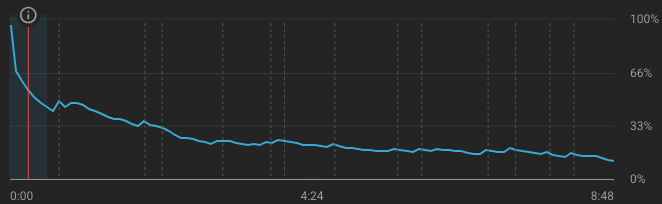
Track audience retention analytics to determine which video sections/elements are more or less effective.